 Case study · Admin web app
Designing an Operations Tracking Web App
Nobody could see where a delivery stood.
Breakdowns in Packing and Delivery Workflows
The process of packing meals into individual customer boxes and preparing them for pickup was poorly coordinated, with no tools available to track progress or ensure accuracy. Without a clear system to confirm readiness, it was difficult to coordinate between the kitchen and delivery teams. This inefficiency led to delays in moving orders through the delivery workflow, increased error rates, and disrupted the overall pace of operations from the very first stage.
Missing System for Delivery Status Tracking
The delivery process lacked a clear system for managing the status of each order, such as whether a box was delivered, delayed, or returned. With no centralized way to track progress or flag issues, team members had to manually align with one another when problems occurred. This led to considerable delays in response times and ultimately led to an increase in customer complaints.
Research first.
Every Vitruvian project starts by understanding the people it serves. For Lightfields, we used 3 of our methods:
- 01Data Visualization
- 02Wireframing
- 03Rapid Prototyping
Data Visualization
Operational data from multiple teams was analyzed to uncover friction points and determine which information should be emphasized in the interface layout.
Wireframing
Wireframing allowed for quick exploration of different layout possibilities and helped outline how each stage of the delivery workflow would be organized on screen.
Rapid Prototyping
Clickable prototypes allowed for early validation of core features such as order tracking, delivery stage transitions, and real time status updates.
Admin Web App
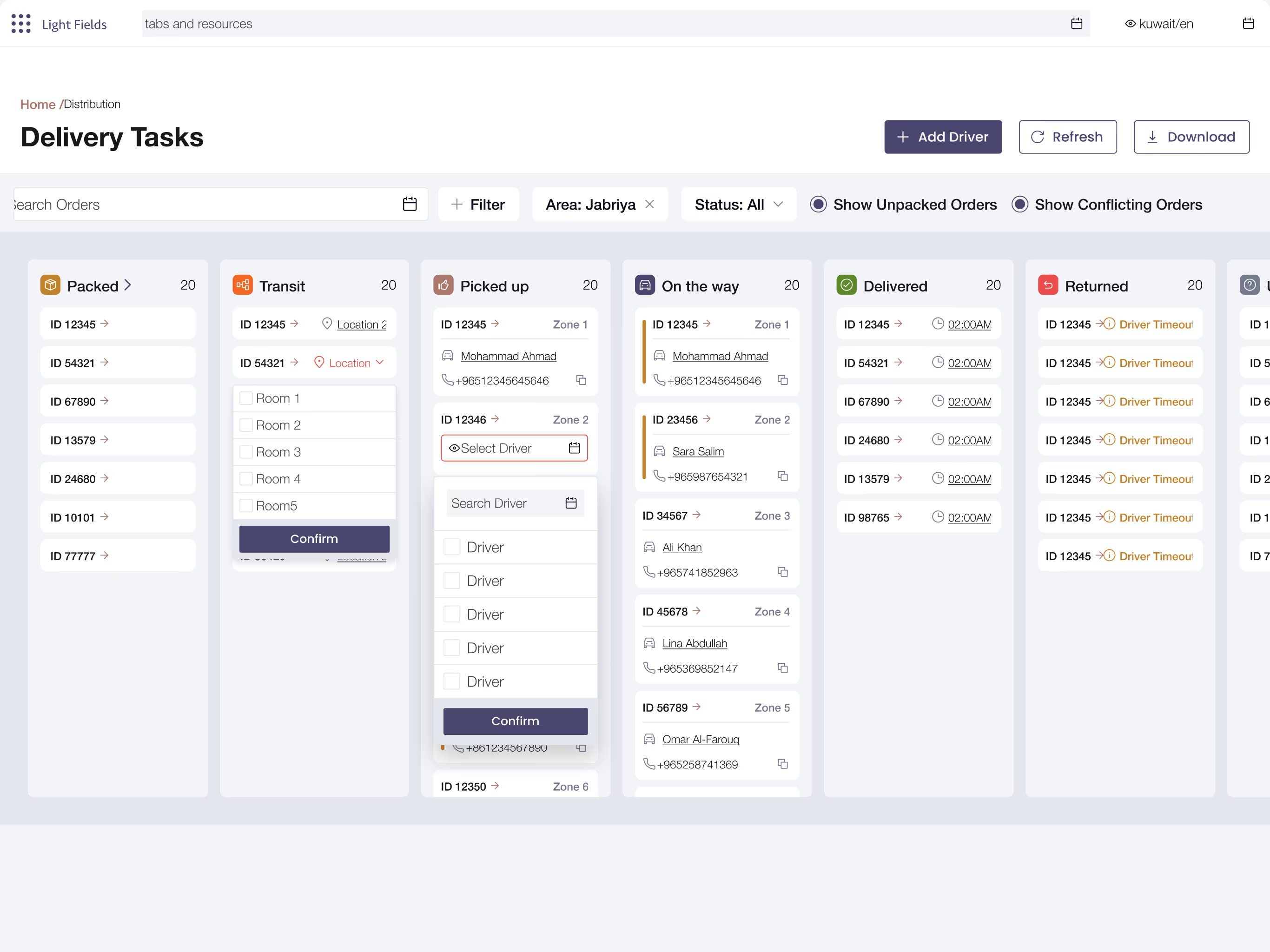
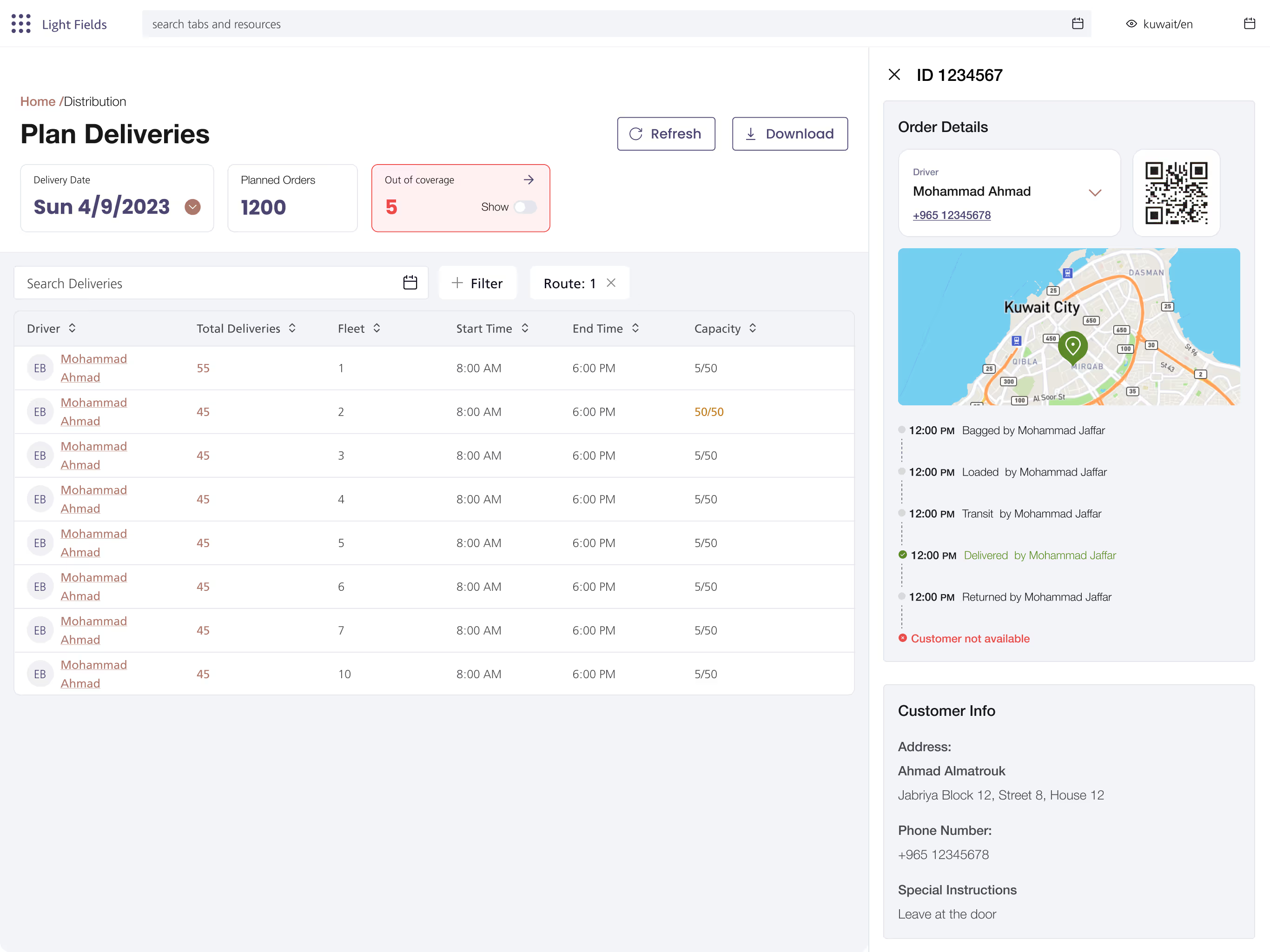
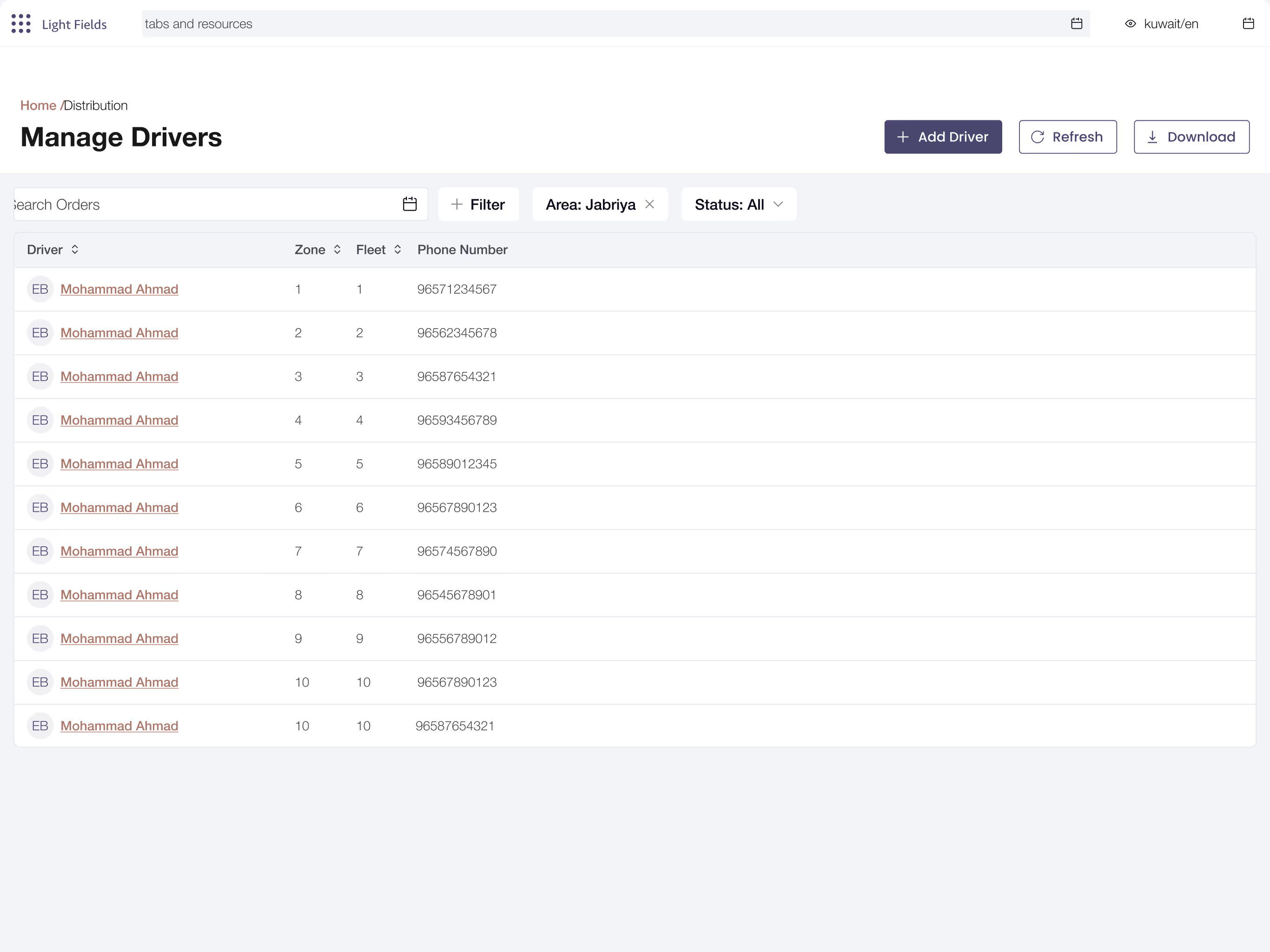
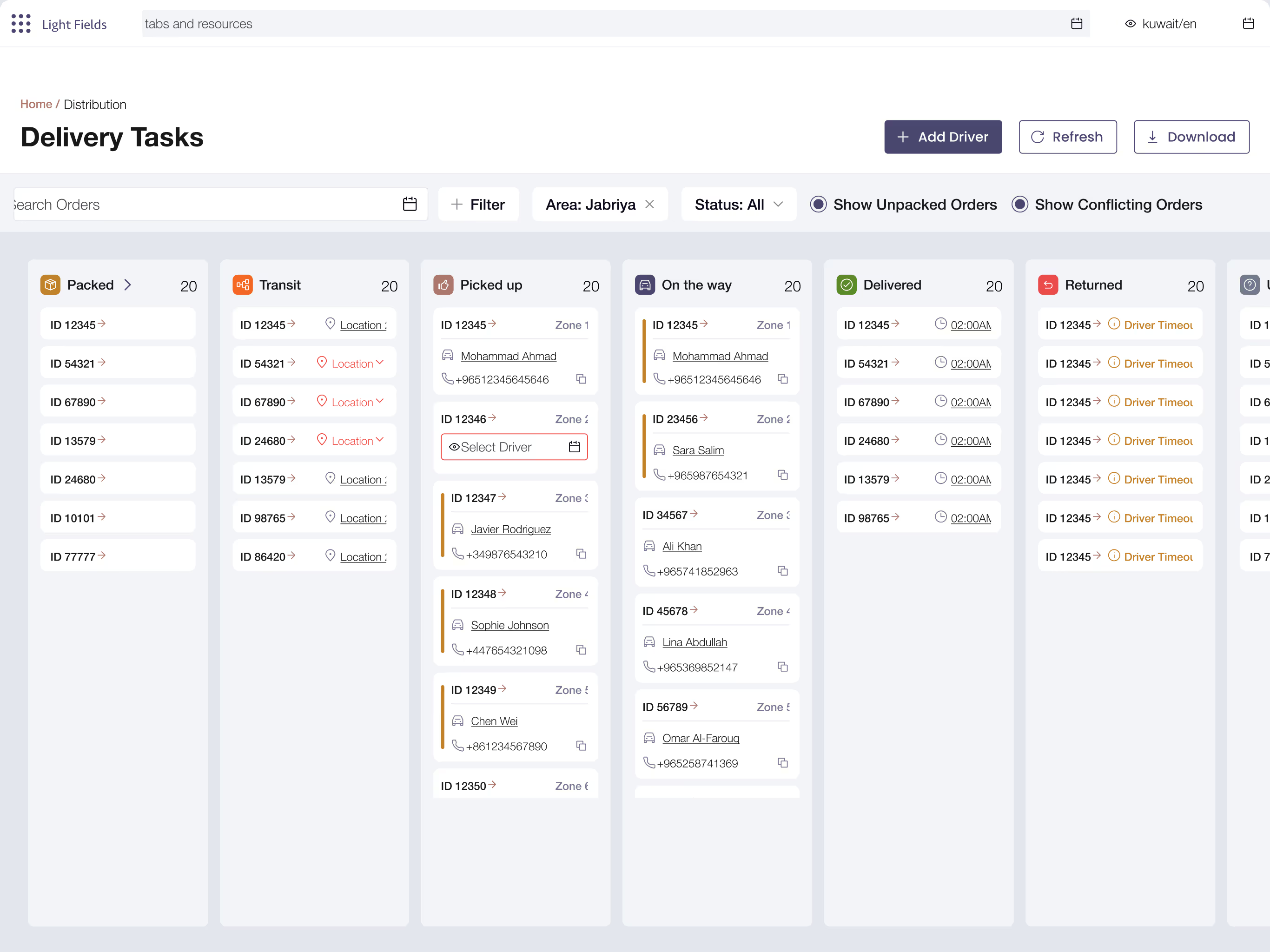
A dedicated admin web app was developed to bring structure and real time visibility to the delivery workflow. By organizing the process into clearly defined stages and highlighting relevant status updates, the system enables admin to easily track progress across each stage and coordinate more effectively with delivery staff. Orders marked as ready are automatically moved from one stage to another, allowing drivers to act immediately without needing clarification. This helped speed up pickups and reduce mistakes in the initial stages of delivery.
Kanban Based Interface
A Kanban based design was implemented to provide admin with an efficient way to track tasks across the different stages of delivery. Kanban is a design principle that focuses on visualizing work and organizing tasks into a stage based flow. Originating from lean project management, it uses a board format where items are represented as cards and arranged into columns that reflect different stages of progress. In this case, the stages were “Packed,” “In Transit,” “Out for Delivery,” and “Delivered/Returned.” This layout allows users to quickly understand what needs to be done, what is currently in progress, and what has been completed. With this system in place, admin can easily oversee the entire process at a glance and respond to issues as they arise, without the need for constant communication.