Coding Fundamentals
Started Google Meet
 Nov 128:00 AM
 Case study · Web platform

Welcome Ehsan!


Student's overall Performance

Completed
In-Progress
On-Hold
Failed
Students Enrolled

2,454
 12.5%vs last month
Course completion Speed

3.2%
1.1%vs last monthTop 3 Ranking Students

 Kirk McNeill200 XP
 Max Stevens100 XP
 Ian Sach100 XP
 Live Sessions2
Coding Fundamentals
StartedGoogle Meet
Nov 128:00 AM
Development Fundamentals
 Starts in 00:55 Minutes
Google Meet
Nov 129:00 AM
 Grading4

 LaylaDue

Assignment

 Fundamentals of Coding
Score out of 100--
AminaDueQuiz
Web Development Fundamentals
Score out of 100--
SamiraDueAssignment
Introduction to Programming
Score out of 100--
HanaDueQuiz
Fundamentals of Coding
Score out of 100--
 Unpublished courses2
Introduction to Programming
In reviewIntro to coding fundamentals
Introduction to Swift UI
DraftBuild your first iPhone screens
 Certificates2NadiaDue
Is eligible for a certificate
YasminDueIs eligible for a certificate
 Instructor
 Search


Manage, Edit and customize your courses
Web Development Fundamentals: From Zero to Frontend Hero
10 Lessons-2 Quizzes
Last Update 2025-05-26
Introduction to Programming
8 Lessons-3 Quizzes
Last Update 2025-06-02
Introduction to Swift UI
12 Lessons-2 Quizzes
Last Update 2025-06-11
Game Design Basics
6 Lessons-1 Quiz
Last Update 2025-04-30
Manage, Edit and customize your courses
Students 128
0 selected
Manage, Edit and customize your courses
Sections are the parent course segment.
Understanding the Web
Lay the foundation by exploring how the internet works, what web development involves, and the differences between frontend and backend. Perfect for absolute beginners, this module helps you understand the digital world you're about to build in.
Styling with CSS
Learn how CSS turns plain HTML into a designed page: choosing colours and fonts, spacing things out, and laying a page out so it reads well on any screen.
The following descriptions will be publicly visible on your Course Landing Page and will have a direct impact on your course performance. These descriptions will help learners decide if your course is right for them.
What will students learn in your course?
You must enter at least one learning objective or outcome.
What are the requirements or prerequisites?
List the required skills, experience, or tools.
Who is this course for?
Describe your Ideal Students
Learn HTML, CSS and JavaScript from scratch
10 Lessons-2 Quizzes-12hr 30min
EntryEnglishFarsi
The following descriptions will be publicly visible on your Course Landing Page and will have a direct impact on your course performance. These descriptions will help learners decide if your course is right for them.
Sections are the parent course segment.
Understanding the Web
Lay the foundation by exploring how the internet works, what web development involves, and the differences between frontend and backend. Perfect for absolute beginners, this module helps you understand the digital world you're about to build in.
Styling with CSS
Learn how CSS turns plain HTML into a designed page: choosing colours and fonts, spacing things out, and laying a page out so it reads well on any screen.
Learn HTML, CSS and JavaScript from scratch
10 Lessons-2 Quizzes-12hr 30min
EntryEnglishFarsi

Teaching meant juggling tools before students.
The course creation process lacked a clear system, making it difficult for instructors to input information and structure content.
Instructors had limited tools for course management and student performance tracking, making it difficult to stay on top of both course content and student performance as the course progressed.
There was no streamlined way for instructors to communicate with students, making it difficult to provide guidance and support.
The platform's reliance on third-party tools such as Google Classroom created disconnected workflows, affecting instructors' ability to teach effectively.
Audited the existing platform and conducted stakeholder interviews to identify learner and instructor pain points and understand their needs.
Researched leading e-learning platforms to understand best practices and opportunities for improvements.
Created wireframes to define the structure of courses, dashboards, and discussion spaces.
Developed interactive prototypes to test key user flows and ensure a seamless experience across the two user types.
Designed a structured course creation system that allows instructors to input information and organize content easily.
Implemented dashboards that enable instructors to manage course content and monitor student performance throughout the course.
Introduced discussion spaces for students and instructors to communicate, fostering collaboration and guided support.
Replaced reliance on third-party tools by integrating all core features into a single system, creating a more consistent and seamless experience across the platform.
introduces students to the foundational concepts of programming using a modern programming language. Students will learn how to write, debug, and understand basic codeيعرف الطلاب بالمفاهيم الأساسية للبرمجة باستخدام لغة برمجة حديثة. سيتعلم الطلاب كيفية كتابة التعليمات البرمجية الأساسية وتصحيحها وفهمهادانشآموزان را با مفاهیم پایه برنامهنویسی با استفاده از یک زبان برنامهنویسی مدرن آشنا میکند. دانشآموزان یاد میگیرند چگونه کد پایه بنویسند، اشکالزدایی کنند و آن را درک کنند
This Course includesتتضمن هذه الدورةاین دوره شامل موارد زیر است
skill Levelمستوى المهارةسطح مهارتIntermediateالمتوسطهمتوسط
Lessonsالدروسدرسها141414
Durationمدةمدت5 hrs5 ساعات5 ساعت
About this courseحول هذه الدورةدرباره این دوره
introduces students to the foundational concepts of programming using a modern programming language. Students will learn how to write, debug, and understand basic codeيعرف الطلاب بالمفاهيم الأساسية للبرمجة باستخدام لغة برمجة حديثة. سيتعلم الطلاب كيفية كتابة التعليمات البرمجية الأساسية وتصحيحها وفهمهادانشآموزان را با مفاهیم پایه برنامهنویسی با استفاده از یک زبان برنامهنویسی مدرن آشنا میکند. دانشآموزان یاد میگیرند چگونه کد پایه بنویسند، اشکالزدایی کنند و آن را درک کنند
I am Mohammad Jawhari. With a bachelors in Electrical Engineering and a Masters in IT, I'm here to teach you a bit of what I know. I have seven years of experience and I am passionate about teaching others.أنا محمد جوهري. مع بكالوريوس في الهندسة الكهربائية وماجستير في تكنولوجيا المعلومات ، أنا هنا لأعلمك القليل مما أعرفه. لدي سبع سنوات من الخبرة وأنا متحمس لتعليم الآخرين.من محمد جوهری هستم. با مدرک کارشناسی مهندسی برق و کارشناسی ارشد فناوری اطلاعات، اینجا هستم تا کمی از آنچه میدانم را به شما یاد بدهم. هفت سال تجربه دارم و به آموزش دیگران علاقهمندم.
Learn more and unlock badges to showcase your skills!تعرف على المزيد وافتح الشارات لعرض مهاراتك!بیشتر یاد بگیرید و نشانها را باز کنید تا مهارتهایتان را نشان دهید!
Accessibilityإمكانية الوصولدسترسپذیری
My Learning
introduces students to the foundational concepts of programming using a modern programming language. Students will learn how to write, debug, and understand basic code
This Course includes
skill LevelIntermediate
Lessons14
Duration5 hrs
Prerequisites2 Courses
introduces students to the foundational concepts of programming using a modern programming language. Students will learn how to write, debug, and understand basic code
I am Mohammad Jawhari. With a bachelors in Electrical Engineering and a Masters in IT, I'm here to teach you a bit of what I know. I have seven years of experience and I am passionate about teaching others.
This platform has completely transformed how we handle our workflow. The interface and powerful features have made our team infinitely more productive.
This platform has completely transformed how we handle our workflow. The interface and powerful features have made our team infinitely more productive.
This platform has completely transformed how we handle our workflow. The interface and powerful features have made our team infinitely more productive.
Learn more and unlock badges to showcase your skills!
 Academy


Welcome Back Razia!

432
XP Earned

3
Trophies Unlocked
Trophies Progress

Mighty Explorer

Quiz Master

Master Coder
Congratulations! You unlocked the "Mighty explorer" Trophy
Submit your Assignment for "Java Fundamentals"
Live session for "Java Fundamentals" starts soon!
Your live session for "Python Basics" has started!
We think these courses align well with your learning progress!
Data & Analytics
Dive into data manipulation, analysis, and visualization techniques using Python and popular libraries.
 James SmithInstructor
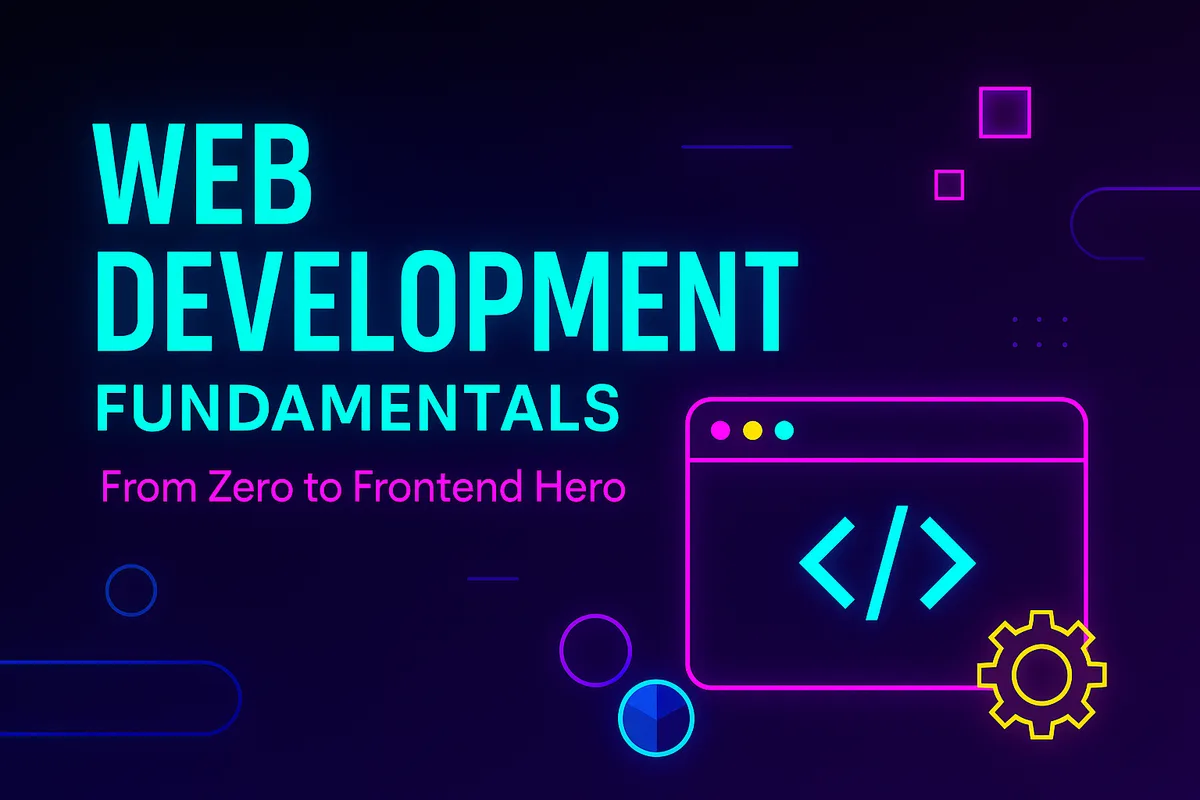
Web Development Fundamentals
Go from your first HTML tag to a working frontend, one short lesson at a time.
Mohamad JawhariInstructorIntroduction to Swift UI
Build your first iPhone app screens and learn how they fit together.
Leila HaidariInstructorGame Design Basics
Turn an idea into a small playable game, from rules to first level.
Omar NazariInstructorintroduces students to the foundational concepts of programming using a modern programming language. Students will learn how to write, debug, and understand basic code
Python Coding Fundamentals
All discussions
4Pick a discussion to read it
My loop never stops
Control Flow: If Statements and LoopsAlya Mohammad20 min ago
My while loop keeps running forever. How do I stop it?
Mohamad JawhariInstructor12 min ago
Add 1 to your counter inside the loop, or the condition never turns false.
Tip: give variables clear names
Understanding Variables and Data TypesIan Sach2 h ago
Names like total_score made my code much easier to read.
Naomi Watts1 h ago
Great tip, thanks Ian!
Quiz 1, question 4
Quiz 1Naomi WattsYesterday
Why does "5" + "5" give "55"?
Ian SachYesterday
They're text, not numbers, so + joins them.
Installing Python on my laptop
Installing Python and Writing Your First ProgramAaliyah Nolan2 days ago
Do I need to restart after installing?
Mohamad JawhariInstructor2 days ago
No, just open a new terminal window.
RaziaJust now
Welcome Ehsan!
Student's overall Performance
Completed
In-Progress
On-Hold
Failed
Students Enrolled
2,454
12.5%vs last monthCourse completion Speed
3.2%
1.1%vs last monthTop 3 Ranking Students
Kirk McNeill200 XPMax Stevens100 XPIan Sach100 XPLive Sessions2Coding Fundamentals
StartedGoogle Meet
Nov 128:00 AM
Development Fundamentals
Starts in 00:55 MinutesGoogle Meet
Nov 129:00 AM
Grading4LaylaDueAssignment
Fundamentals of Coding
Score out of 100--
AminaDueQuiz
Web Development Fundamentals
Score out of 100--
SamiraDueAssignment
Introduction to Programming
Score out of 100--
HanaDueQuiz
Fundamentals of Coding
Score out of 100--
Unpublished courses2Introduction to Programming
In reviewIntro to coding fundamentals
Introduction to Swift UI
DraftBuild your first iPhone screens
Certificates2NadiaDueIs eligible for a certificate
YasminDueIs eligible for a certificate
InstructorSearchManage, Edit and customize your courses
Web Development Fundamentals: From Zero to Frontend Hero
10 Lessons-2 Quizzes
Last Update 2025-05-26
Introduction to Programming
8 Lessons-3 Quizzes
Last Update 2025-06-02
Introduction to Swift UI
12 Lessons-2 Quizzes
Last Update 2025-06-11
Game Design Basics
6 Lessons-1 Quiz
Last Update 2025-04-30
Manage, Edit and customize your courses
Students 128
0 selected
Manage, Edit and customize your courses
Sections are the parent course segment.
Understanding the Web
Lay the foundation by exploring how the internet works, what web development involves, and the differences between frontend and backend. Perfect for absolute beginners, this module helps you understand the digital world you're about to build in.
Styling with CSS
Learn how CSS turns plain HTML into a designed page: choosing colours and fonts, spacing things out, and laying a page out so it reads well on any screen.
Fundamentals of Coding
All discussions
4Pick a discussion to read it
Why is my heading still black?
Styling with CSSIan Sach10 min ago
I wrote .h1 { color: red; } but my heading stays black. What am I missing?
A quick way to check your tags
What is HTML?Kirk McNeill1 h ago
Right-click the page and choose Inspect to see every tag the browser reads.
Max Stevens40 min ago
This helped a lot, thanks Kirk!
Do all tags need closing?
What is HTML?Max Stevens3 h ago
Some tags in the examples have no closing tag. Is that right?
EhsanInstructor2 h ago
Yes. A few, like <img> and <br>, don't need one.
Quiz question 3
HTML basics quizIan SachYesterday
Why is the answer <ul> and not <ol>?
Kirk McNeillYesterday
<ul> is for lists where the order doesn't matter.
EhsanInstructorJust now
The following descriptions will be publicly visible on your Course Landing Page and will have a direct impact on your course performance. These descriptions will help learners decide if your course is right for them.
Learn HTML, CSS and JavaScript from scratch
10 Lessons-2 Quizzes-12hr 30min
EntryEnglishFarsi
The following descriptions will be publicly visible on your Course Landing Page and will have a direct impact on your course performance. These descriptions will help learners decide if your course is right for them.
What will students learn in your course?
You must enter at least one learning objective or outcome.
What are the requirements or prerequisites?
List the required skills, experience, or tools.
Who is this course for?
Describe your Ideal Students
Learn HTML, CSS and JavaScript from scratch
10 Lessons-2 Quizzes-12hr 30min
EntryEnglishFarsi
The following descriptions will be publicly visible on your Course Landing Page and will have a direct impact on your course performance. These descriptions will help learners decide if your course is right for them.
Sections are the parent course segment.
Understanding the Web
Lay the foundation by exploring how the internet works, what web development involves, and the differences between frontend and backend. Perfect for absolute beginners, this module helps you understand the digital world you're about to build in.
Styling with CSS
Learn how CSS turns plain HTML into a designed page: choosing colours and fonts, spacing things out, and laying a page out so it reads well on any screen.
Learn HTML, CSS and JavaScript from scratch
10 Lessons-2 Quizzes-12hr 30min
EntryEnglishFarsi
Your course landing page is a critical element of your success on the CTI Educational Platform. A well-designed landing page not only captures the attention of potential learners, but also showcases the unique value of your course. If crafted effectively, it can help your course gain visibility both on the platform and through external search engines like Google.
Upload your course image here. It must meet our course image quality standards to be accepted. Important guidelines: 750x422 pixels; .jpg, .jpeg, .gif, or .png. No text on the image.
Language
Level
Learn HTML, CSS and JavaScript from scratch
10 Lessons-2 Quizzes-12hr 30min
EntryEnglishFarsi
How will you distribute your grades
Final Percentage
100%A+
A
B
C
D
F
Learn HTML, CSS and JavaScript from scratch
10 Lessons-2 Quizzes-12hr 30min
EntryEnglishFarsi
Fundamentals of Coding is with the Code to Inspire team. It goes live for students as soon as it's approved.
Intro
Download ResourcesBefore we can start writing Python code, we need to install Python on our computer and set up a proper environment where we can write and run our programs.
Step 1: Downloading and Installing Python
1. Visit the official Python website at https://www.python.org
2. Click on the 'Downloads' section and choose the version for your operating system (Windows, macOS, or Linux).
3. Run the installer. On Windows, make sure to check the box that says 'Add Python to PATH'. Then click 'Install Now'.
4. After installation, you can confirm Python is installed by opening a terminal or command prompt and typing:
You should see the installed Python version number.
Step 2: Setting Up Your Coding Environment
There are several tools you can use to write Python code:
Step 3: Writing Your First Python Program
Let's write a simple program to display a message.
1. Open your code editor (e.g., IDLE or VS Code).
2. Create a new file and save it with a `.py` extension, like `hello.py`.
3. Type the following code:
4. Run the file. You should see the message:
`Hello, world!`
Step 4: Understanding the print() Function
The `print()` function is used to output text to the screen. It's one of the most basic and useful functions in Python.
Example
Conclusion
You've successfully installed Python and written your first program. These are your first steps into the world of programming. In the next lessons, we will explore variables, data types, and how to get input from users.
01
02
03
04
05
06
07
08
09
10
11
12
import sys
def hello_world():
message = "Hello, World!"
print(message)
return x - y
def main():
hello_world()
def division_nums(x, y):
if __name__ == "__main__":
main()
return x / y
# Output: Hello, World!
Running hello.py…
Hello World
Write a short report (200 to 300 words) answering the following:
1. What happens when you type www.google.com into your browser and press Enter?
2. Describe each step in the process (DNS lookup, server request, response, rendering).
3. Include terms like: Browser, DNS, IP address, HTTP, Server, HTML.
Optional Bonus Task:
Use https://who.is to find the IP address of any website, and explain what that IP address represents.
Upload your work
Upload Your Documents
in JPEG, PNG, or PDF
Each question must be answered to proceed. You have 25 minutes to complete the quiz. Unsubmitted answers will not be saved.
90/100
Review your answers on the right to reinforce your understanding.
Watch this Video Lesson on Youtube.
Download ResourcesBefore we can start writing Python code, we need to install Python on our computer and set up a proper environment where we can write and run our programs.
Submit your Assignment for "Java Fundamentals"
Live session for "Java Fundamentals" starts soon!
Your live session for "Python Basics" has started!
We think these courses align well with your learning progress!
Data & Analytics
Dive into data manipulation, analysis, and visualization techniques using Python and popular libraries.
Web Development Fundamentals
Go from your first HTML tag to a working frontend, one short lesson at a time.
Introduction to Swift UI
Build your first iPhone app screens and learn how they fit together.
Game Design Basics
Turn an idea into a small playable game, from rules to first level.
Welcome Back Razia!

Welcome Back Razia!
432XP Earned3Trophies UnlockedControl Flow in Python (3 hrs left)
if statements, for loops, and while loops
3hr remaining
Trophies Progress
Submit your assignment for "Java Fundamentals"
Live session for "Java Fundamentals" starts soon!
You unlocked the "Mighty Explorer" trophy
3Trophies Unlocked
432XP Earned
4/4Assignments Finished
User Details


 Web Development
 Public
 26hr


 Active
 Removed
 Graduated

 Back


 Under Review





 Dr.Yousef